보안 공급자를 구현하는 방법
Microsoft는 ISecurityProvider 인터페이스를 제공합니다. 이 인터페이스를 구현함으로써 사용자는 다른 시스템과 통합할 수 있습니다.
이 섹션에서는 보안 공급자를 구현하는 방법에 대해 설명합니다.
보안 공급자 구현
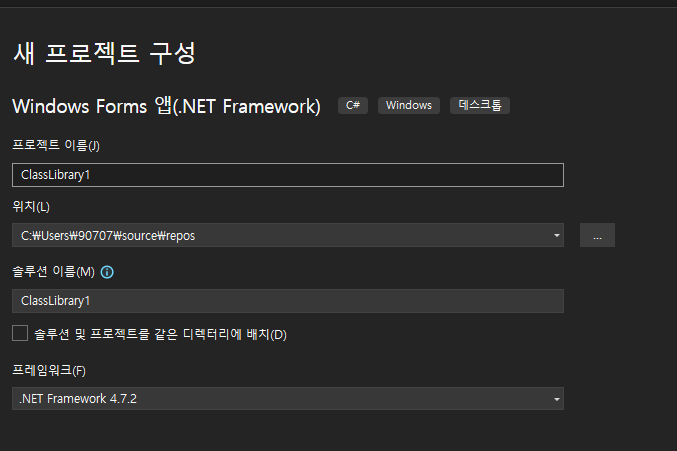
- Visual Studio에서 클래스 라이브러리 프로젝트를 만듭니다. 프로젝트의 Framework를 .NET Framework 4.7.2로 설정합니다
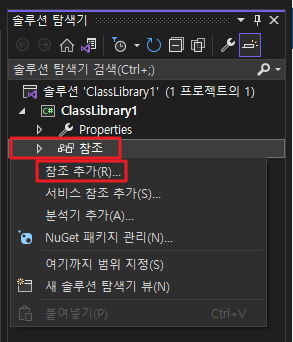
- 솔루션 탐색기에서 참조를 마우스 오른쪽 버튼으로 클릭하고 참조 추가를 선택합니다.
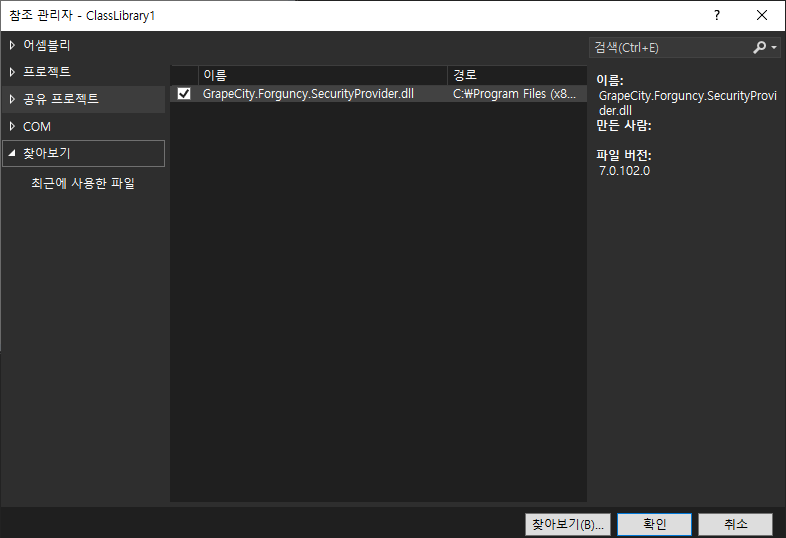
- 오른쪽 하단의 "찾아보기"를 클릭하고 Mosaic의 설치 디렉토리에서 "GrapeCity.Forguncy.SecurityProvider.dll" 파일을 찾아 프로젝트에 대한 참조로 추가합니다.
- 이동형 그리드 서버 설치 시 설치 디렉토리가 기본 디렉토리라면 이 파일의 경로는 다음과 같습니다.
-
- Windows 시스템은 32비트 운영 체제입니다: C:\Program Files\ForgancyServer\Website\bin
- Windows 시스템은 64비트 운영 체제입니다: C:\Program Files (x86)\ForgancyServer\Website\bin
- 포건시 시 설치 디렉토리가 커스텀 경로라면 이 파일의 경로는 "커스텀 경로\ForgancyServer\Website\bin" 입니다.
- " GrapeCity.Forguncy.SecurityProvider.dll " 파일을 선택하고 마우스 오른쪽 버튼을 클릭하고 "속성"을 선택한 다음 "로컬복사"를 "False"로 변경합니다.
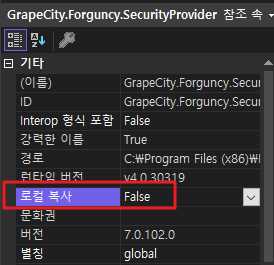
- Class1.cs 파일에 코드를 추가합니다. 샘플 코드는 다음과 같습니다.
using GrapeCity.Forguncy.SecurityProvider;
using System;
using System.Collections.Generic;
using System.Linq;

namespace DemoPasswordSecurityProvider
{
    public class DemoPasswordSecurityProvider : ISecurityProvider
    {
        List<User> testUsers = new List<User>();
        public DemoPasswordSecurityProvider()
        {
            AddUser("User1", "TestUser1", "User1@User1.com", "User1Property");
            AddUser("User2", "TestUser2", "User2@User2.com", "User2Property");
            AddUser("User3", "TestUser3", "User3@User3.com", "User3Property");
        }

        void AddUser(string userId, string userName, string email, string customProperty)
        {
            testUsers.Add(new User()
            {
                UserId = userId,
                Email = email,
                FullName = userName
            });

            testUsers.Last().Properties.Add("customProperty", customProperty);
        }

        public string Name
        {
            get
            {
                return "DemoPasswordSecurityProvider";
            }
        }

        public AuthenticationType AuthenticationType
        {
            get
            {
                return AuthenticationType.UserNameAndPassword;
            }
        }

        public UserInformationStorageMode UserInformationStorageMode
        {
            get
            {
                return UserInformationStorageMode.InForguncyDatabase;
            }
        }

        public UserInformations UserInformations => throw new NotImplementedException();

        public bool AllowLogout
        {
            get
            {
                return true;
            }
        }

        private User GetUserInformation(string userId)
        {
            return testUsers.FirstOrDefault(u => u.UserId == userId);
        }

        public User VerifyUser(Dictionary<string, string> properties)
        {
            var userName = properties["userName"];
            var password = properties["password"];

            var user = GetUserInformation(userName);

            if (user != null && password == "123456")
            {
                user.Properties.Add("FGC_Role", "MyRole");
                return user;
            }

            return null;
        }
    }
}
그 중 InForguncyDatabase 는 사용자 정보를 포건시에 저장하는 방식이고 다른 방식은 InMemoryCache 입니다.
- InForguncyDatabase
이 모드에서는 사용자가 처음으로 웹사이트에 로그인할 때 사용자 정보를 사용자 서비스 데이터베이스에 추가합니다. 관리자는 사용자에게 역할과 조직을 할당해야 합니다.
사용자가 이미 데이터베이스에 추가 되었거나 사용자가 삭제되었거나 원래 애플리케이션에서 사용자 속성이 변경된 경우 데이터베이스는 자동으로 동기화되지 않습니다. - InMemoryCache
이 모드에서 포건시 사이트는 시작 시 사용자 이름, 사용자 특성, 역할 및 조직을 포함하여 모든 사용자 정보를 가져옵니다. 그런 다음 사용자 정보는 사이트의 메모리에 캐시됩니다. 이 정보를 사용하여 권한 및 작업 흐름 등을 설정합니다.
- 코드가 추가된 후 이름을 마우스 오른쪽 버튼으로 클릭하고 "Generate" 또는 "Regenerate"를 선택하여 컴파일합니다.
- 컴파일이 완료되면 파일 탐색기에서 폴더를 열고 생성된 모든 파일을 "bin/Debug" 또는 "bin/Release" 폴더 아래의 .zip 파일로 압축합니다.
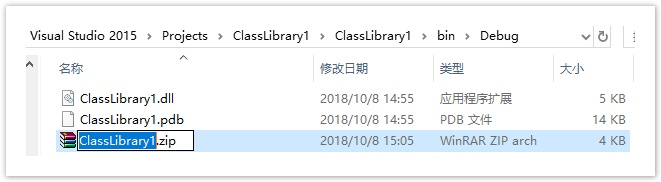
- 서버관리자에서사용자 계정 관리 인터페이스의 "타사" 영역에서 "업로드"를 클릭하고 security provider.zip 패키지 파일을 선택합니다
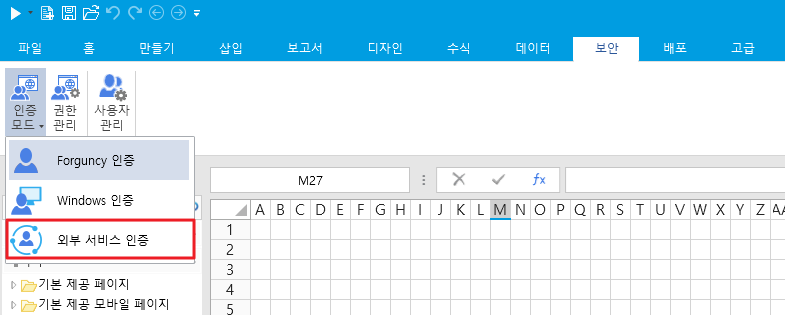
- 포건시 디자이너에서 인증 모드를 "타사 사용자 통합"으로 선택하면 게시 후 맞춤형 사용자 보안 프로그램을 실현할 수 있습니다.