
포건시 플러그인 예제 - LayDate
LayDate 소개
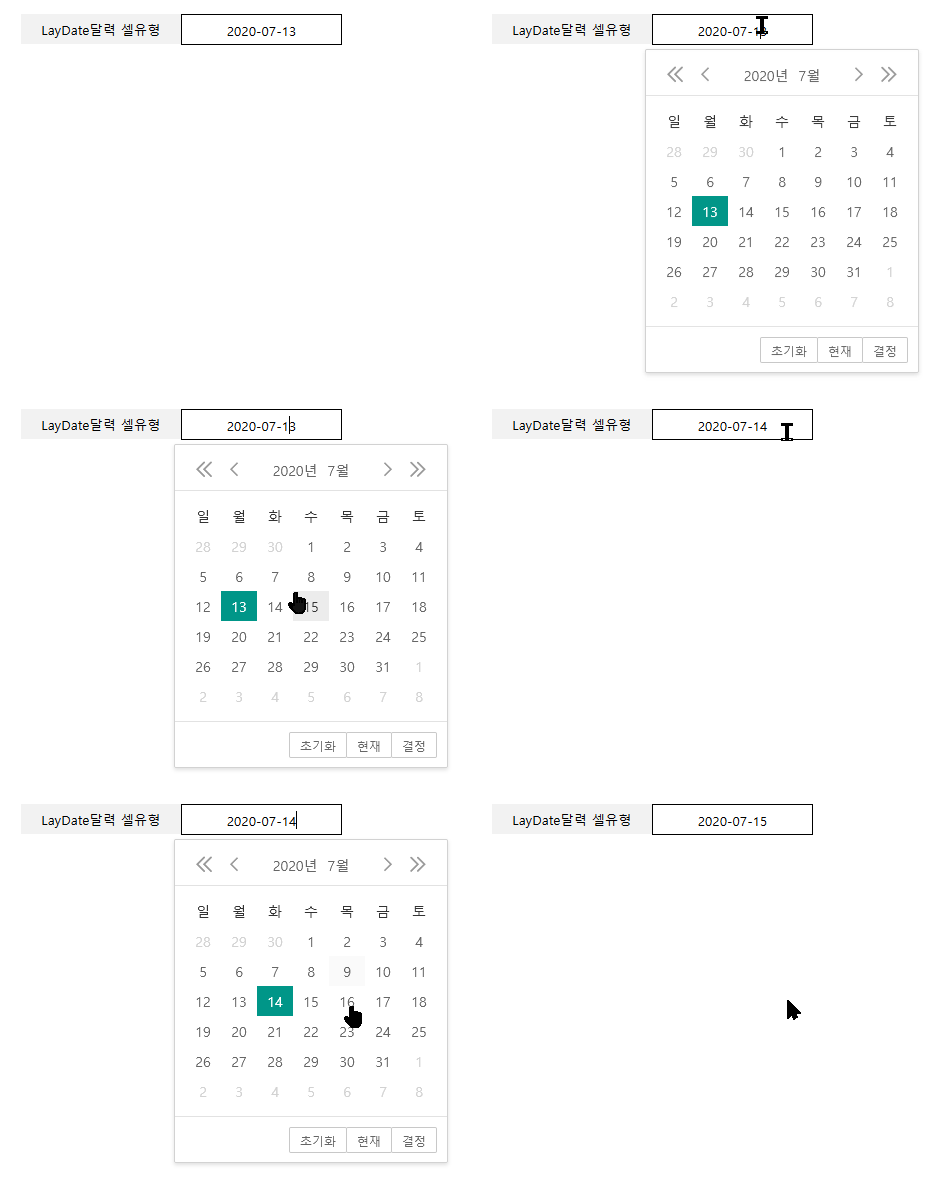
공식 홈페이지에서 다운로드 받은 layDate-v5.0.9를 실행했을 때 실제 작동하는 방식은 아래와 같습니다. 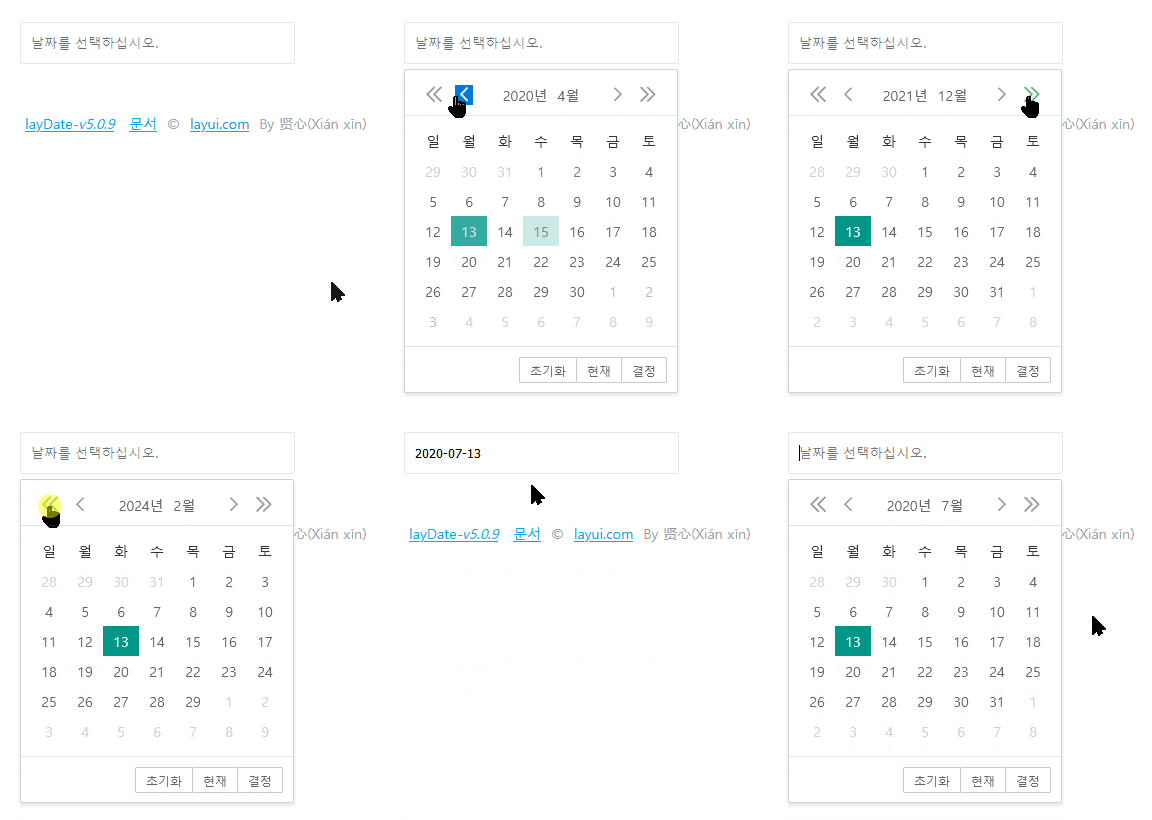
LayDate 라이선스 정보
LayDate달력 플러그인 제작하기
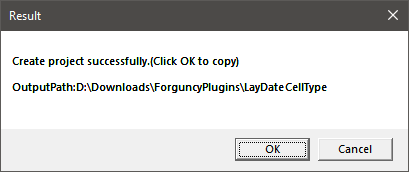
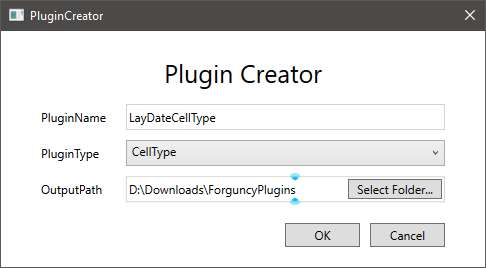
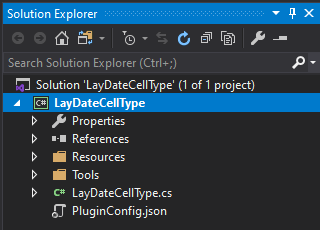
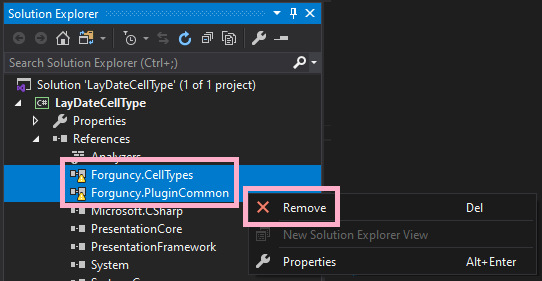
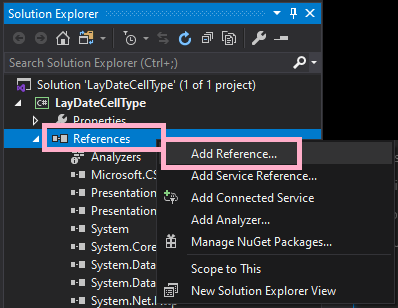
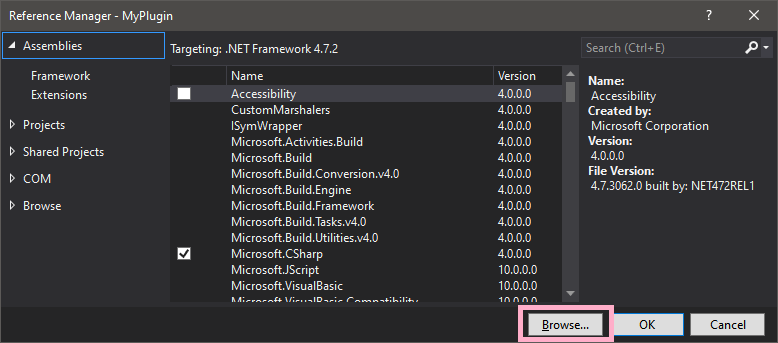
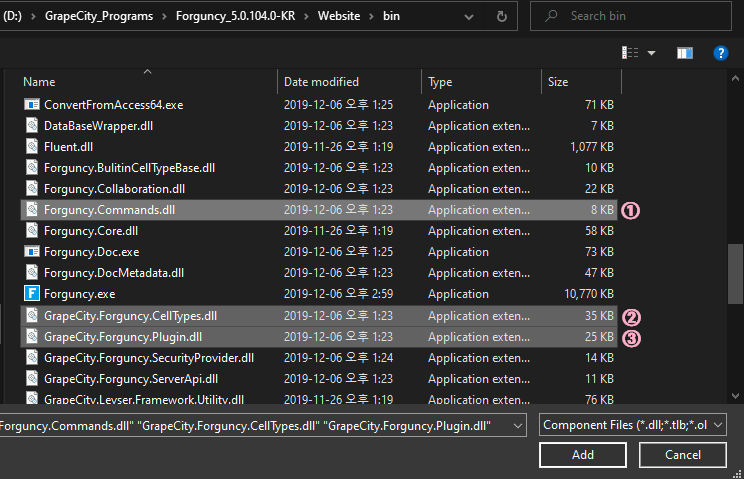
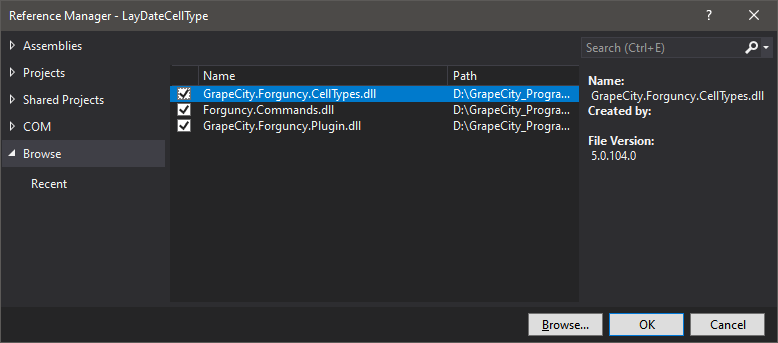
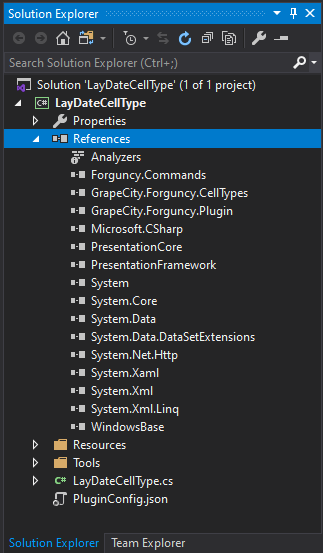
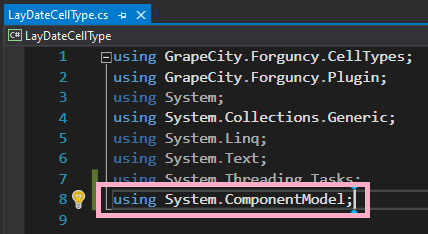
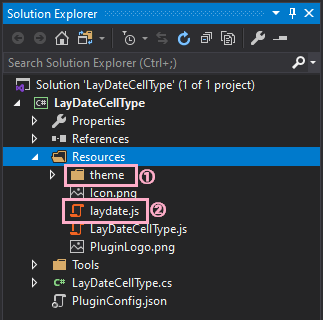
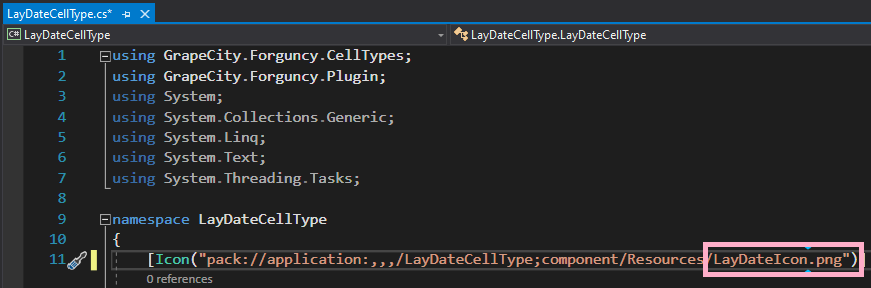
//포건시 셀유형 선택 시 왼쪽에 표시할 아이콘의 모양을 정의하는 부분입니다.
[Icon("pack://application:,,,/LayDateCellType;component/Resources/Icon.png")]

//셀에 표시할 기본값, 셀의 표시 모드의 선택, IReferenceFormular 등을 구현합니다.
public class LayDateCellType : CellType, ISupportStyleInitialize, IReferenceFormula
{
    //포건시 셀유형 선택 목록에 표시되는 이름을 정의합니다.
    public override string ToString()
    {
        return "LayDate달력";
    }

    //포건시에서 셀유형 선택 시 오른쪽 패널에 나타날 옵션1을 정의합니다.
    [DisplayName("기본값")]
    [FormulaProperty]
    public object DefaultValue
    {
        get;
        set;
    }

    //포건시에서 셀유형 선택 시 오른쪽 패널에 나타날 옵션2를 정의합니다.
    [DisplayName("모드선택")]
    public LayDateMode LayDateMode
    {
        get;
        set;
    }

    //셀을 병합할 때 테두리가 남도록 합니다.
    public override DisplayBehaviour DisplayBehaviour
    {
        get
        {
            return DisplayBehaviour.KeepBorderWhenMerge;
        }
    }

    public Dictionary<StylePropertyName, object> GetDefaultStyleInfos(ICellInfo cellInfo)
    {
        var styles = new Dictionary<StylePropertyName, object>();
        //LayDateCellType은 오른쪽 정렬이 기본입니다.
        styles.Add(StylePropertyName.HorizontalAlignment, ForguncyCellHorizontalAlignment.Right);
        return styles;
    }

    public IEnumerable<LocatedObject<object>> GetFormulaReferObjects(LocationIndicator location)
    {
        yield return new LocatedObject<object>(this.DefaultValue, location.AppendProperty("기본값"));
    }
}

//포건시에서 셀유형 선택 시 오른쪽 패널에 나타날 옵션2의 값들을 정의합니다.
public enum LayDateMode
{
    [Description("날짜")]
    Date,
    [Description("시간")]
    Time,
    [Description("날짜와 시간")]
    DateTime
}
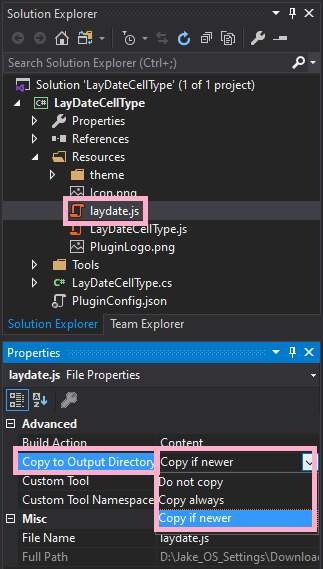
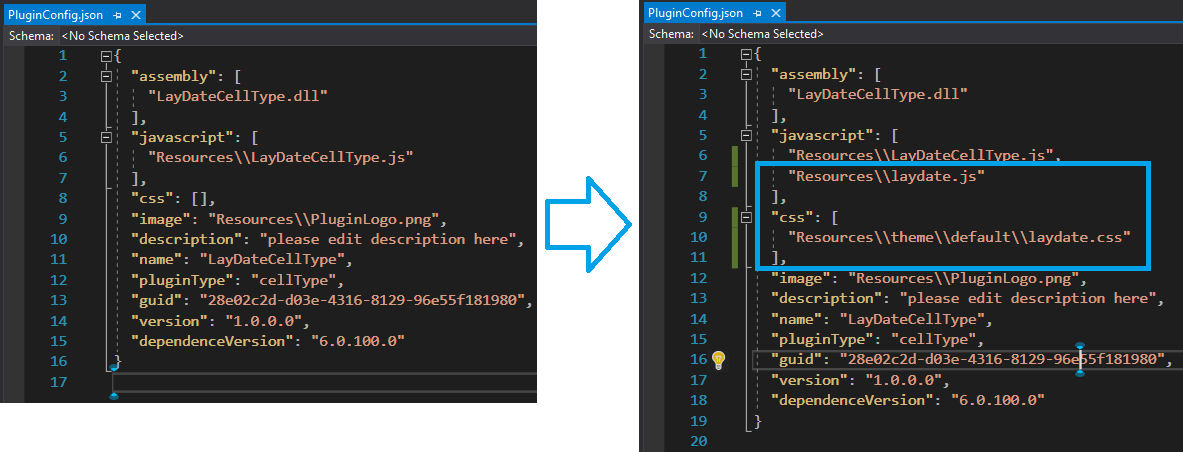
//LayDateCellType 객체를 지정합니다.
var LayDateCellType = (function (_super) {
  __extends(LayDateCellType, _super);
  function LayDateCellType() {
    return _super !== null && _super.apply(this, arguments) || this;
  }
  LayDateCellType.prototype.OADateValue = null;

  //상위 CellTypeBase의 메소드에서 달력을 웹에 표시하는 모양을 정의합니다.
  LayDateCellType.prototype.createContent = function () {
      var self = this;
      var element = this.CellElement;
      var cellTypeMetaData = element.CellType;
      var container = $("<div id='" + this.ID + "'></div>");
      var innerContainer = $('<input type="text" id=' + this.ID + '_laydate />');

      innerContainer.css("width", element.Width);
      innerContainer.css("height", element.Height);
      innerContainer.css("box-sizing", "border-box");
      innerContainer.css("border", "0px");
      innerContainer.css("outline", "none");

      var hAlign = this.getHorizontalAlignment(element.StyleInfo);
      if (hAlign) {
          innerContainer.css("text-align", hAlign);
      }
      container.append(innerContainer);
      return container;
  }

  //셀의 좌우 정렬을 설정합니다.
  LayDateCellType.prototype.getHorizontalAlignment = function (styleInfo) {
      if (styleInfo) {
          if (styleInfo.HorizontalAlignment === Forguncy.CellHorizontalAlignment.Left) {
              return "left";
          } else if (styleInfo.HorizontalAlignment === Forguncy.CellHorizontalAlignment.Center) {
              return "center";
          } else if (styleInfo.HorizontalAlignment === Forguncy.CellHorizontalAlignment.Right) {
              return "right";
          }
      }
      return null;
  }

  //셀에 선택된 값을 표시하기 위해 가져옵니다.
  LayDateCellType.prototype.getValueFromElement = function () {
      return this.OADateValue;
  }

  //셀의 선택된 값을 가져와 표시합니다.
  LayDateCellType.prototype.setValueToElement = function (element, value) {
      if (!(value instanceof Date)) {
          if (typeof (value) === "number") {
              value = Forguncy.ConvertOADateToDate(value);
          } else {
              try {
                  value = new Date(value);
              } catch (e) {
                  value = null;
              }
          }
      }
      var info = this.getDateCellTypeTypeAndFormat();
      var type = info.type;
      var format = info.format;
      if (value == null) {
          laydate.render({
              elem: "#" + this.ID + "_laydate",
              type: type,
              format: format
          });
      } else {
          laydate.render({
              elem: "#" + this.ID + "_laydate",
              type: type,
              format: format,
              value: value
          });
      }
  }

  //포건시에서 기본값 설정을 했다면 상위 CellTypeBase의 메소드로부터 값을 가져와 표시합니다.
  LayDateCellType.prototype.getDefaultValue = function () {
      var cellTypeMetaData = this.CellElement.CellType;
      var defaultValue = cellTypeMetaData.DefaultValue;
      return {
          Value: defaultValue
      };
  }

  //화면에 데이터를 표시할 때 포건시의 '표시 형태 선택'에서 설정한 방식으로 표시합니다.
  LayDateCellType.prototype.onLoad = function () {
      var info = this.getDateCellTypeTypeAndFormat();
      var type = info.type;
      var format = info.format;
      var self = this;
      laydate.render({ //laydate.js 라이브러리에서 참조합니다.
          elem: "#" + this.ID + "_laydate",
          type: type,
          format: format,
          done: function (value, date, endDate) {
              var newValue = Forguncy.ConvertDateToOADate(new Date(date.year, date.month - 1, date.date, date.hours, date.minutes, date.seconds));
              if (type === "time") {
                  newValue = newValue % 1;
              } else if (type === "date") {
                  newValue = Math.floor(newValue);
              }
              self.OADateValue = newValue;
              self.commitValue(); //데이터를 화면으로 보내 표시
          }
      });
  }

  //포건시의 '표시 형태 선택'에서 설정한 날짜/시간 표시 방식을 설정합니다.
  LayDateCellType.prototype.getDateCellTypeTypeAndFormat = function () {
      var cellTypeMetaData = this.CellElement.CellType;
      var type = "date";
      var format = "yyyy-MM-dd";
      if (cellTypeMetaData.LayDateMode === LayDateMode.Time) {
          type = "time";
          format = "HH:mm:ss";
      } else if (cellTypeMetaData.LayDateMode === LayDateMode.DateTime) {
          type = "datetime";
          format = "yyyy-MM-dd HH:mm:ss";
      }
      return {
          type: type,
          format: format
      };
  }
  return LayDateCellType;
}(Forguncy.CellTypeBase));

//포건시 옵션 표시시 C# 데이터와 일관성을 유지하기 위해 index를 설정합니다.
var LayDateMode = {
  Date: 0,
  Time: 1,
  DateTime: 2
};

//다음의 키 형태는 "Namespace.ClassName, AssemblyName"입니다.
Forguncy.CellTypeHelper.registerCellType("LayDateCellType.LayDateCellType, LayDateCellType", LayDateCellType);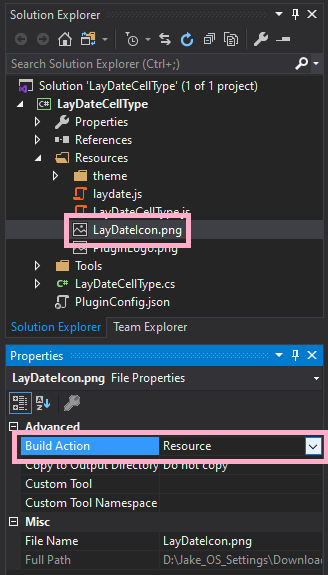
PluginLogo.png를 삭제 후 변경하고자 하시는 로고로 바꿔 주십시오.

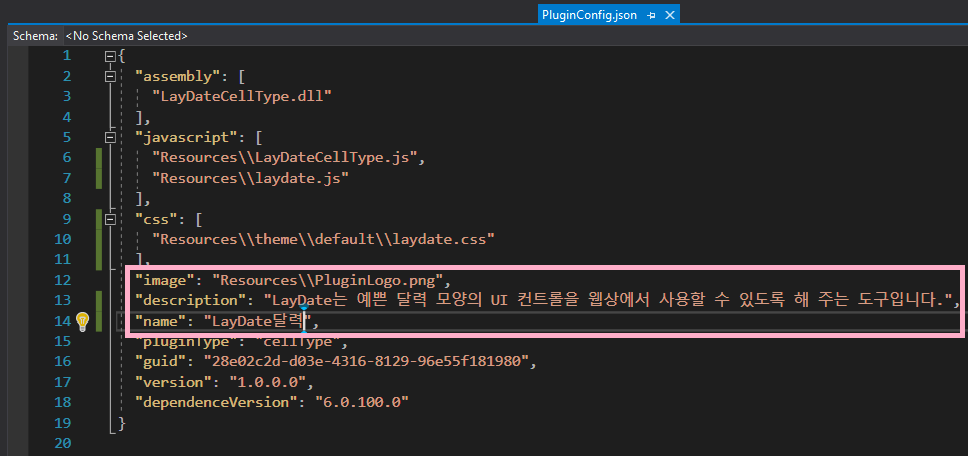
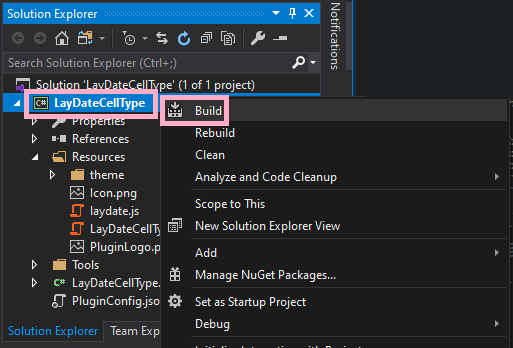
솔루션 탐색기에서 플러그인 이름을 마우스 오른쪽으로 클릭하신 후 “빌드(Build)”합니다.
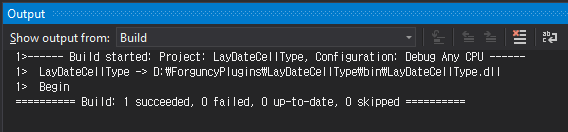
아래와 같이 빌드의 결과가 나타나면, 해당 위치로 이동하십시오.
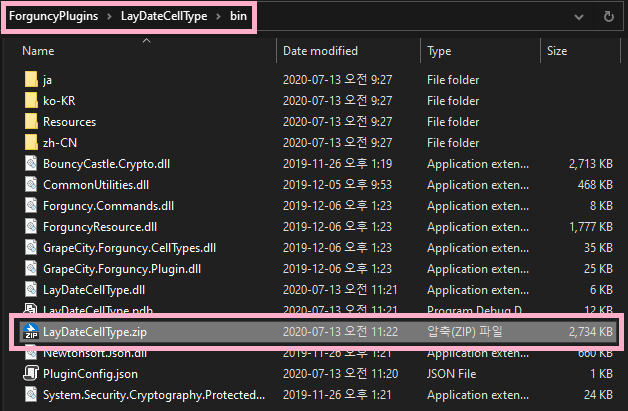
빌드 결과물이 나온 위치에 아래 그림과 같이 zip 파일이 나타납니다. 해당 파일을 따로 복사해서 특정 폴더에 모으셔도 되고, 해당 위치에 두셔도 됩니다.
포건시에서 LayDate달력 플러그인 사용하기

Last updated