- Forguncy | 포건시
- 시작하기
- 데이터베이스
- 페이지&데이터바인딩
- 웹페이지구성
- 명령및동작
- 배포 및 권한
- 포건시서버
- 공동작업
-
플러그인
- 플러그인 설치하기
-
플러그인 사용하기
-
셀유형 플러그인
- 그림 슬라이드(CarouselCellType)
- 사용자 메뉴 설정 (Forguncy.CustomMenu)
- 페이지 탭 컨트롤 (TabManager)
- HTML 편집기 (HtmlRichEditor)
- ListView 선택 항목 표시기(SelectionPanel)
- 간트차트 (Gantt)
- FilePreviewer
- 서명 (SignatureCellType)
- 비디오, 음원 파일 플레이어 (VideoPlayCellType)
- 이미지 편집기(CaroselCellType)
- Echart
- 엘리먼트 UI (Element UI)
- 작은 리치 텍스트 편집기
- 포커스설정 (Vant)
- 명령유형 플러그인
- 데이터베이스 연결 플러그인
-
셀유형 플러그인
- 플러그인 개발하기
FilePreviewer
FilePreviewer 플러그인은 미리보기 첨부 셀을 지원하고 Tencent 클라우드 스토리지 및 기타 기능에 연결할 수 있습니다.
플러그인 다운로드
버전에 맞는 플러그인을 다운로드 합니다.
| 버전 | 다운로드 링크 |
|---|---|
| v 7. 1 | FilePreviewerKR.zip |
| v 7. 0 | FilePreviewerKR.zip |
| v 6. 1 | FilePreviewerKR.zip |
기능 설명
- 클라우드 서버 또는 Tecent Cloud에 파일 업로드
- 브라우저에서 이미지, 비디오, 오디오, PDF 파일 미리보기
- 드래그 앤 드롭 업로드 파일 및 Ctrl+V 클리보드 업로드 지원
사용 방법
- 플러그인을 다운로드합니다.
- Forguncy Builder에서 설치하고 Forguncy Builder를 다시 실행합니다.
- 셀 영역을 선택하고, 셀 유형 "FilePreviewer"로 설정합니다.
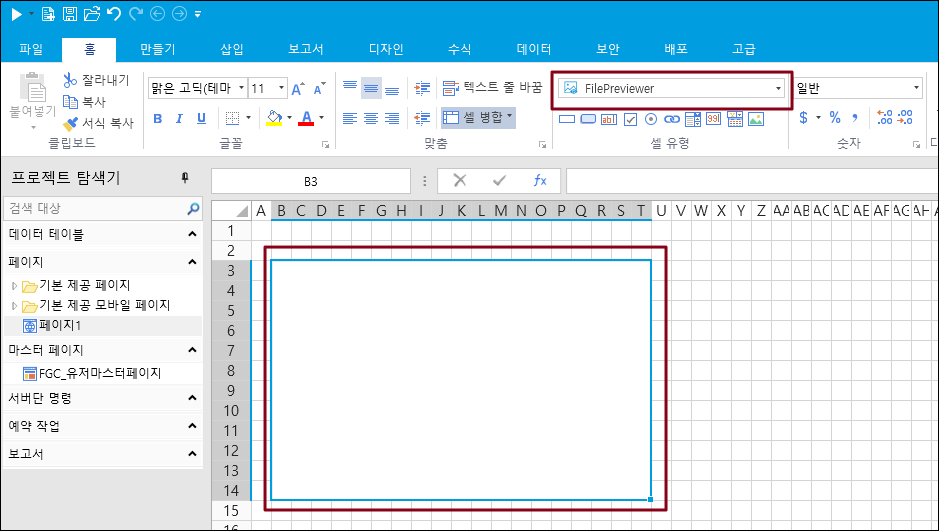
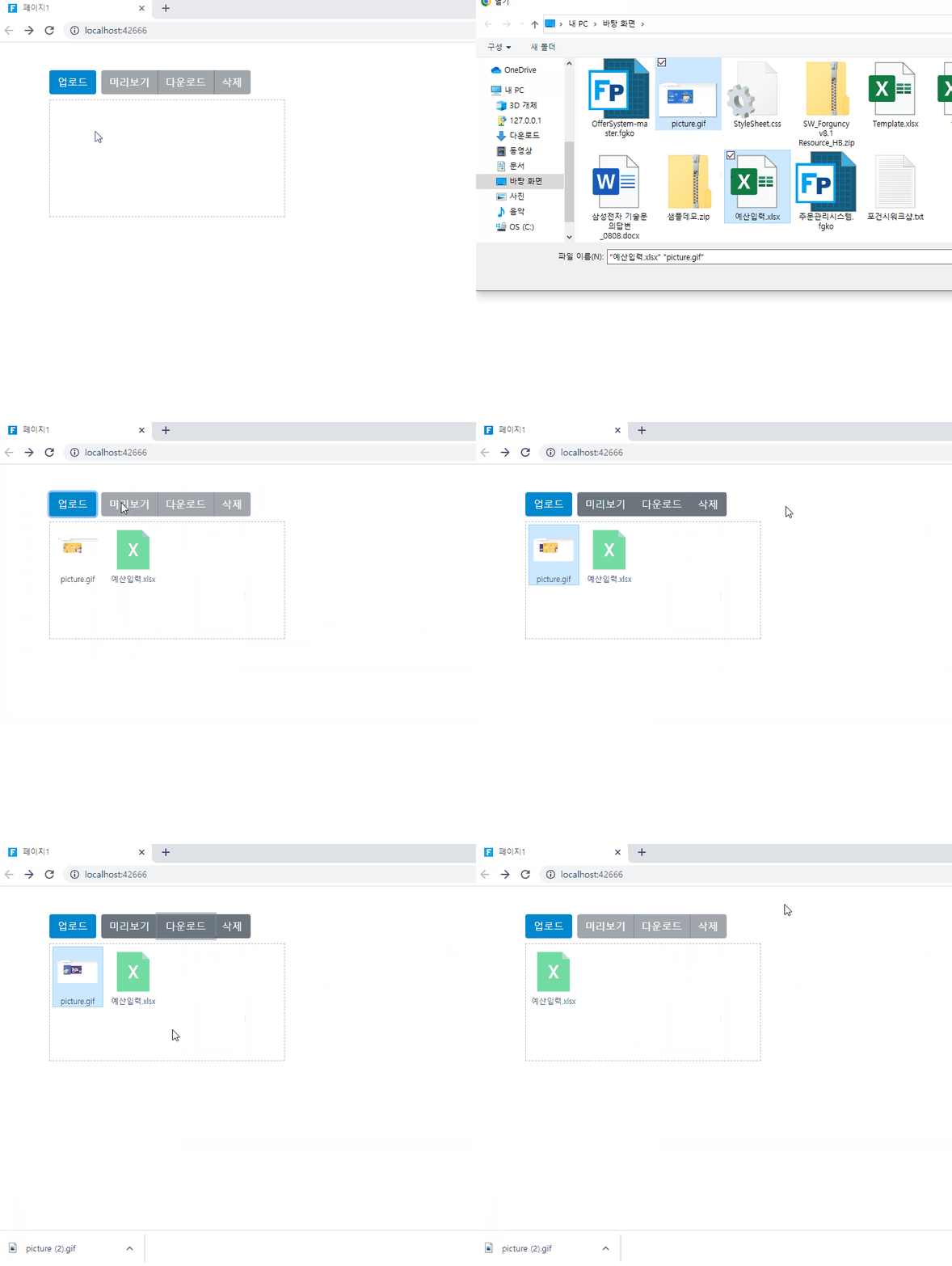
4. 실행하면 아래와 같이 화면이 나옵니다.
- 업로드: 업로드버튼을 클릭하면 업로드할 파일을 선택할 수 있습니다. 업로드 한 파일은 아래 박스에서 확인 할 수 있습니다.
- 미리보기 : 파일을 선택하고, 미리보기를 클릭하면 업로드한 파일을 미리볼 수 있습니다. Microsoft Office 파일, PDF파일, 미디어 파일 (이미지, 오디오, 비디오)를 지원합니다.
- 다운로드 : 파일을 선택한 후, 다운로드 버튼을 클릭하면 해당 파일을 다운로드 받을 수 있습니다.
- 삭제: 파일을 선택하고 삭제버튼을 클릭하면 파일리스트에서 삭제됩니다.