# PivottableClick 이벤트
#### 이벤트
Forguncy.CellEvents.PivottableClick
#### 설명
피벗 테이블의 셀을 클릭하면 이벤트가 트리거됩니다.
#### **반환값**
string
#### 예제
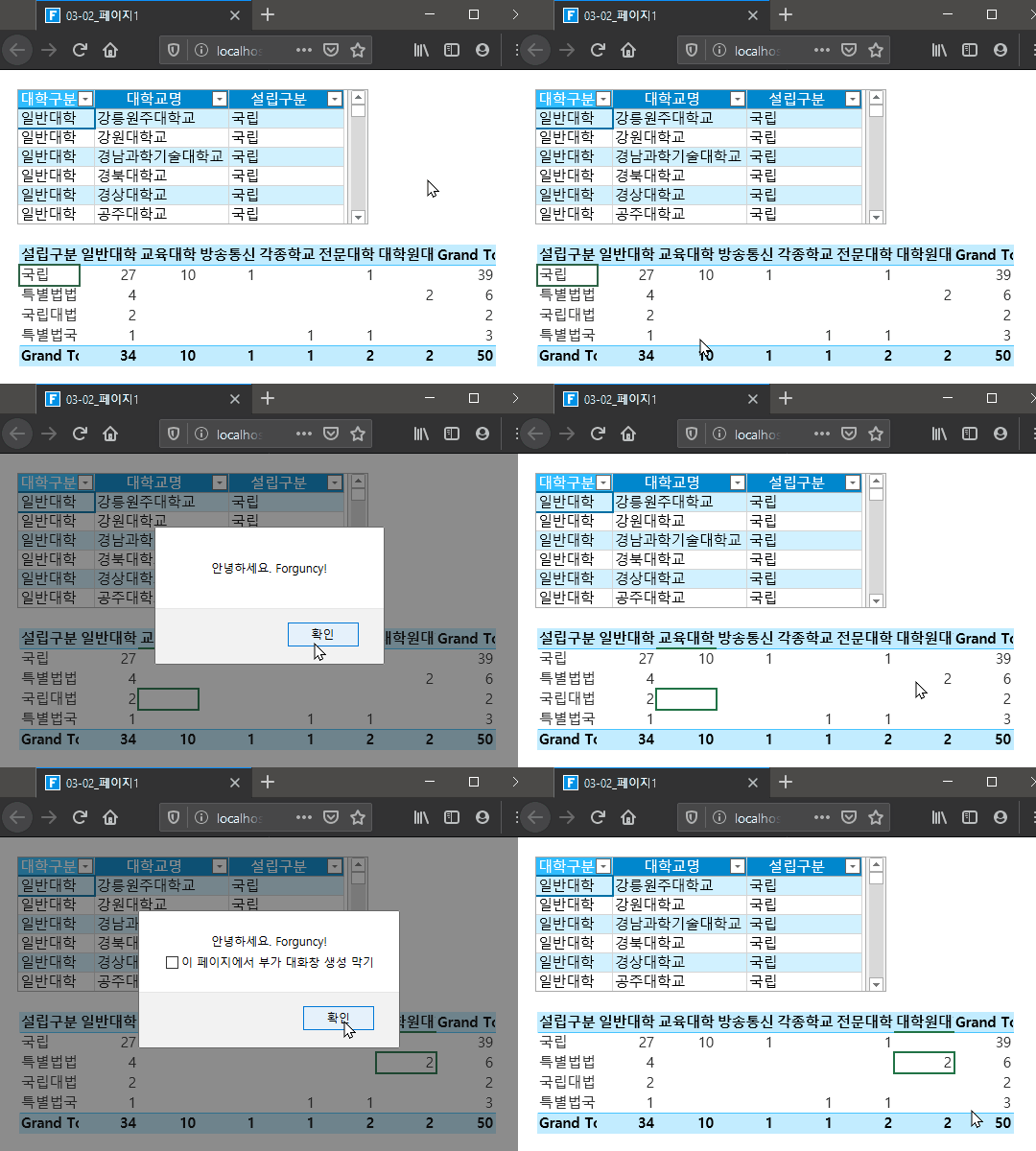
다음 예제 코드에서는 bind 메서드를 사용 하 여 피벗 테이블에 클릭 이벤트를 추가하고 피벗 테이블을 클릭할 때 피벗 테이블의 셀에 대 한 정보를 팝업 합니다.
```
//현재 페이지에 Namespace를 선언합니다.
var page = Forguncy.Page;
//Cell Name이 pitvottablecell이라고 명명된 셀 인스턴스 정보를 가져옵니다.
var pivottable = page.getCell("pivottablecell");
//ready 메소드의 CallBack 함수를 생성합니다.
page.ready(function () {
//pitvottablecell 셀에 pivottableClick을 binding합니다.
pivottable.bind("pivottableClick", function () {
//미리 지정한 문구를 화면에 표시합니다.
alert("안녕하세요. Forguncy!");
});
```
#### Forguncy 사용 예제
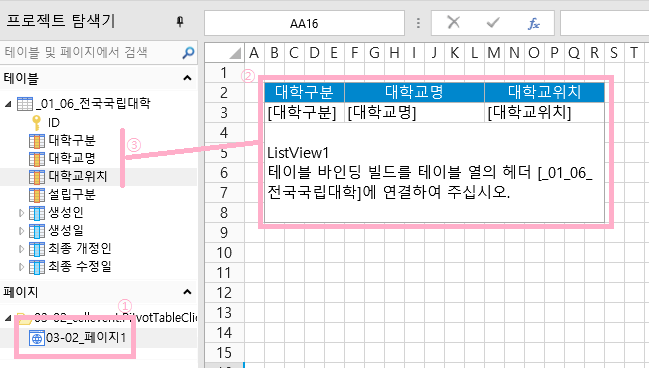
1. 페이지 한 개 생성하고, ListView를 생성하여 Database Table에 연결합니다.\
Database에 Table을 생성하고 데이터를 넣는 방법과 ListView를 생성하는 방법 등은 자세한 설명을 생략합니다.
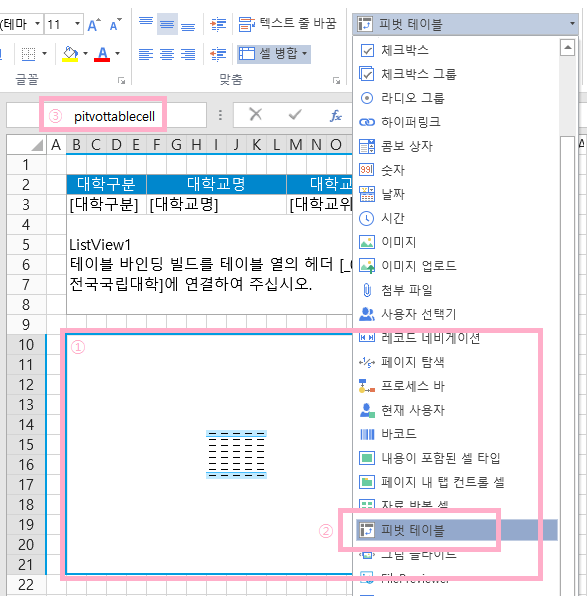
2\. 페이지에 “피벗 테이블” 셀 유형을 추가합니다. 왼쪽위의 Cell Name에 pitvottablecell이라고 입력합니다.
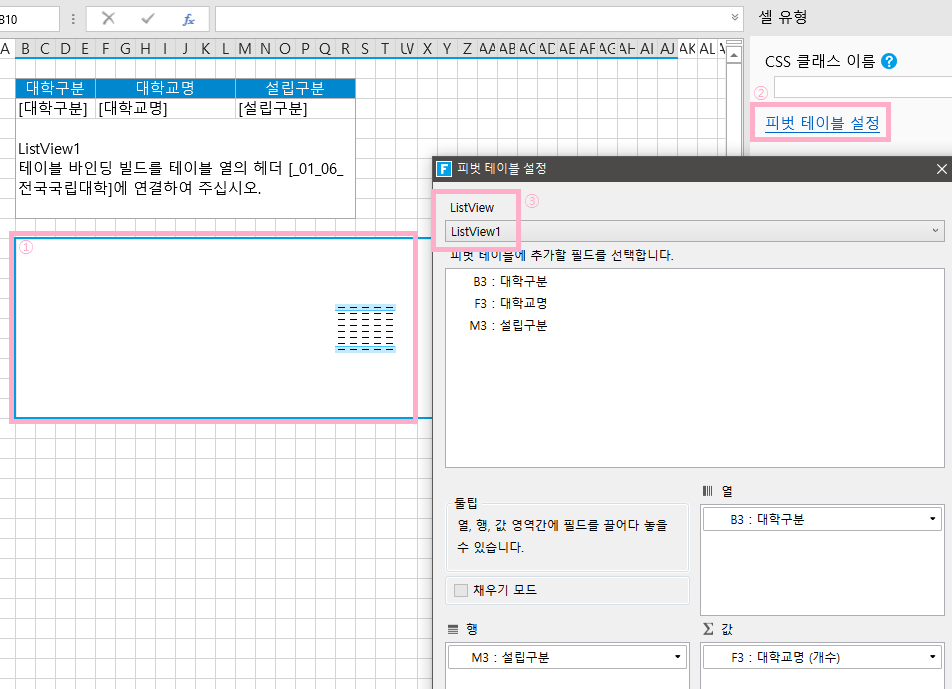
3\. 오른쪽 ‘셀 유형’ 패널에서 “피벗 테이블 설정”을 선택하여 피벗 테이블을 미리 설정한 ListView와 연동합니다.
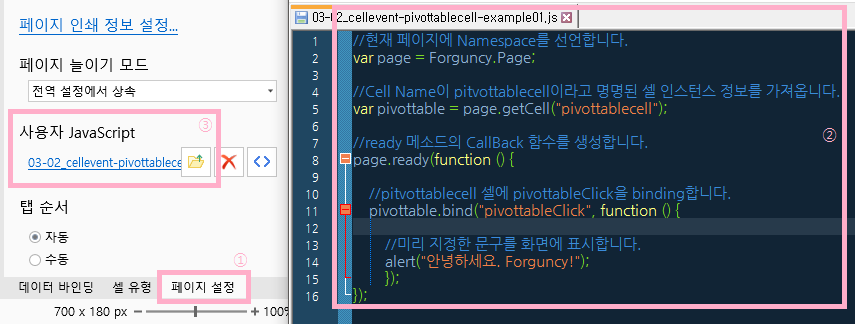
4\. JS 파일을 생성하고, 오른쪽 패널에서 “페이지 설정 > 사용자 JavaScript”에 해당 JavaScript 파일을 불러오기 합니다.
5\. 해당 프로젝트를 실행하여 피벗 테이블을 클릭하면, 팝업창이 화면에 표시됩니다.
---
# Agent Instructions: Querying This Documentation
If you need additional information that is not directly available in this page, you can query the documentation dynamically by asking a question.
Perform an HTTP GET request on the current page URL with the `ask` query parameter:
```
GET https://doc.forguncy.co.kr/v7/command/javascriptprogramming/javascript-api/class/cellevents/pivottableclick.md?ask=
```
The question should be specific, self-contained, and written in natural language.
The response will contain a direct answer to the question and relevant excerpts and sources from the documentation.
Use this mechanism when the answer is not explicitly present in the current page, you need clarification or additional context, or you want to retrieve related documentation sections.