# JSON 직렬화/역직렬화 명령 (JSonUtilityCommand)

JSON 직렬화 명령은 JSON개체를 JSON 문자열로 변환할 수 있고, JSON 역직렬화 명령은 JSON 문자열을 JSON 개체로 변활할 수 있습니다.&#x20;

### 플러그인 다운로드&#x20;

버전에 맞는 플러그인을 다운로드 합니다.

<table><thead><tr><th width="139">버전 </th><th>다운로드 링크 </th></tr></thead><tbody><tr><td>v10.0</td><td><a href="https://forguncy-korea.github.io/attached_files/Plugin_Files/V10_Plugin/JsonUtilityCommand.zip">JsonUtilityCommand.zip</a></td></tr><tr><td>v 9.0</td><td><a href="https://forguncy-korea.github.io/attached_files/Plugin_Files/V9_Plugin/JsonUtilityCommand.zip">JsonUtilityCommand.zip</a></td></tr><tr><td>v 7. 1</td><td><a href="https://forguncy-korea.github.io/attached_files/Plugin_Files/V7.1_Plugin_20211223/JsonUtilityCommand.zip">JsonUtilityCommand.zip</a></td></tr></tbody></table>

### 사용 방법&#x20;

1. 플러그인을 다운로드합니다.
2. Forguncy Builder에서 설치하고 Forguncy Builder를 다시 실행합니다.
3. 명령창에서 아래와 같이 Json 직렬화 명령 / 역직렬화 명령을 사용할 수 있습니다.

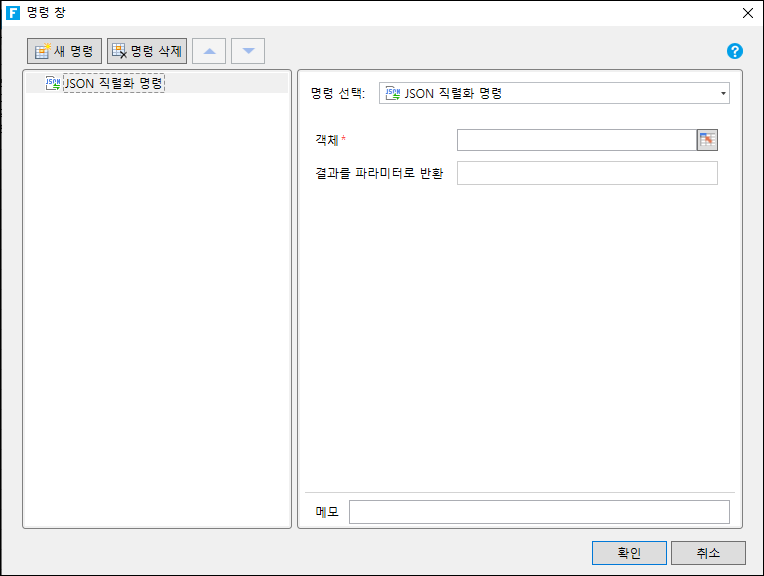
* JSON 직렬화 명령 : JSON 객체를 JSON 문자열로 변환

&#x20;     . 객체 : JSON 객체

&#x20;     . 결과를 파라미터로 반환 : 직렬화된 변수 이름 &#x20;

<figure><img src="https://content.gitbook.com/content/kr3K95OpVnkhRrSKF3Qh/blobs/v3PIDrmFJScqDT9ZSNBY/image.png" alt=""><figcaption></figcaption></figure>

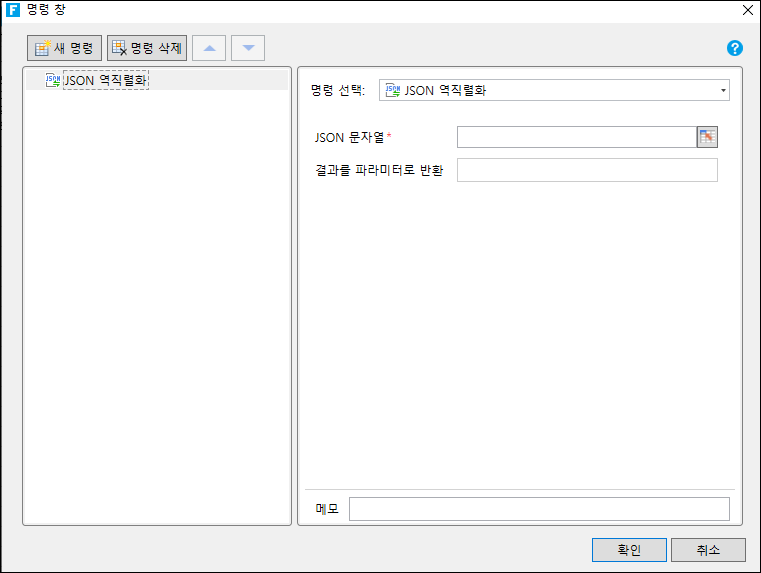
* JSON 역직렬화 명령 : JSON 문자열을 JSON 객체로 변환&#x20;

&#x20;     . JSON 문자열 : 역직렬화해야 하는 JSON 문자열

&#x20;     . 결과를 파라미터로 반환 : 역직렬화된 변수 이름&#x20;

<figure><img src="https://content.gitbook.com/content/kr3K95OpVnkhRrSKF3Qh/blobs/pYhC6EBrLbCPVUKUsnAL/image.png" alt=""><figcaption></figcaption></figure>

```
```