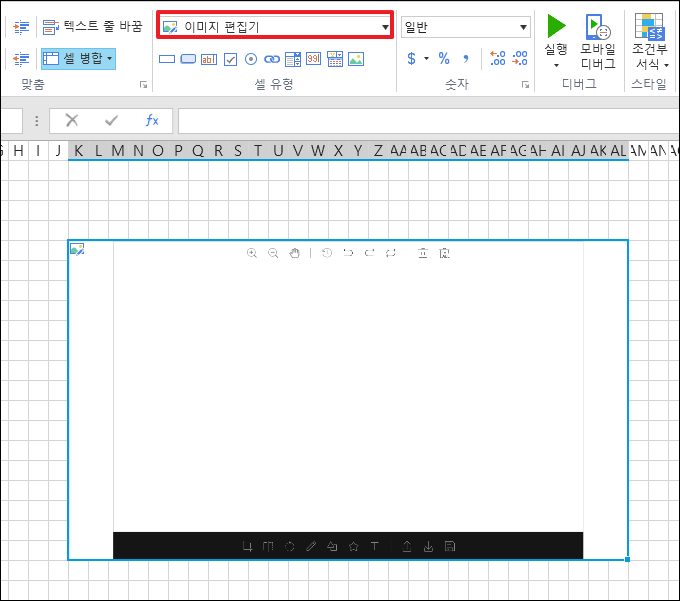
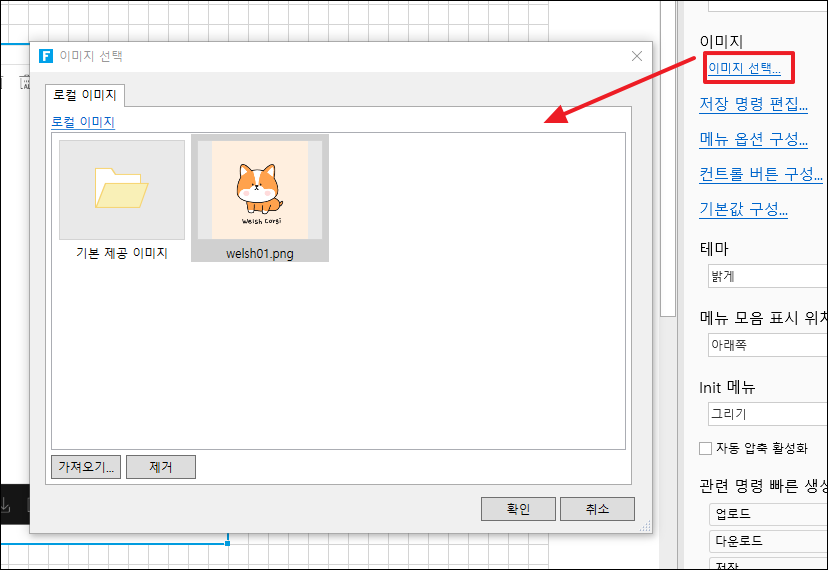
# 이미지 편집기(CaroselCellType)

그림 슬라이드 플러그인은 사진을 자동 또는 수동으로 전환할 수 있으며 일반적으로 홈페이지에서 사용됩니다.

### 플러그인 다운로드&#x20;

버전에 맞는 플러그인을 다운로드 합니다.

<table><thead><tr><th width="139">버전 </th><th>다운로드 링크 </th></tr></thead><tbody><tr><td>v 9.0</td><td><a href="https://forguncy-korea.github.io/attached_files/Plugin_Files/V9_Plugin/CarouselCellType.zip">CarouselCellType.zip</a></td></tr><tr><td>v 7. 1</td><td><a href="https://forguncy-korea.github.io/attached_files/Plugin_Files/V7.1_Plugin_20211223/CarouselCellType.zip">CarouselCellType.zip</a></td></tr><tr><td>v 7. 0</td><td><a href="https://forguncy-korea.github.io/attached_files/Plugin_Files/V7_Plugin_20210722/CarouselCellType.zip">CarouselCellType.zip</a></td></tr><tr><td>v 6. 1</td><td><a href="https://forguncy-korea.github.io/attached_files/Plugin_Files/V6.1_Plugin_20201111/CarouselCellType.zip">CarouselCellType.zip</a></td></tr><tr><td>v 6. 0</td><td><a href="https://forguncy-korea.github.io/attached_files/Plugin_Files/V6_Plugin_20200903/CarouselCellType.zip">CarouselCellType.zip</a></td></tr><tr><td>v 5. 1</td><td><a href="https://forguncy-korea.github.io/attached_files/Plugin_Files/V5_Plugin_20191115/CarouselCellType.zip">CarouselCellType.zip</a></td></tr></tbody></table>

### 사용방법&#x20;

1. 플러그인을 다운로드합니다.
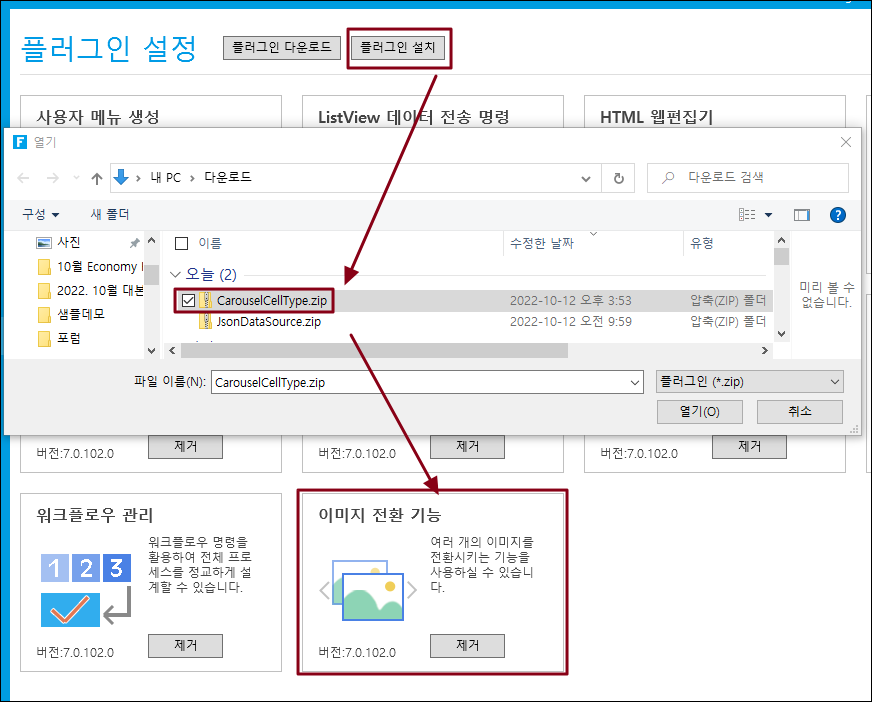
2. Forguncy Builder에서 설치하고 Forguncy Builder를 다시 실행합니다.
<figure><img src="https://1191936652-files.gitbook.io/~/files/v0/b/gitbook-x-prod.appspot.com/o/spaces%2FMDaEsmK9OwD7QYBNk9Sn%2Fuploads%2FuliAgkqAvZ5Eueo685RO%2Fimage.png?alt=media&#x26;token=8502337d-cb17-4d5b-aede-8b3403cf0b23" alt=""><figcaption></figcaption></figure>

3\. 셀 영역을 선택하고, 셀 유형 "그림 슬라이드"로 설정합니다.

<figure><img src="https://1191936652-files.gitbook.io/~/files/v0/b/gitbook-x-prod.appspot.com/o/spaces%2FMDaEsmK9OwD7QYBNk9Sn%2Fuploads%2FdMwxTdtuMstuwdgq7Ayz%2Fimage.png?alt=media&#x26;token=3a896543-89d0-4710-ade4-3817602691b2" alt=""><figcaption></figcaption></figure>

4. 이미지선택을 합니다.

<figure><img src="https://1191936652-files.gitbook.io/~/files/v0/b/gitbook-x-prod.appspot.com/o/spaces%2FMDaEsmK9OwD7QYBNk9Sn%2Fuploads%2Fp1OQdUXwnR1x4XeSgbuu%2Fimage.png?alt=media&#x26;token=40cba6e3-5907-4b88-9c92-ad85389330e8" alt=""><figcaption></figcaption></figure>

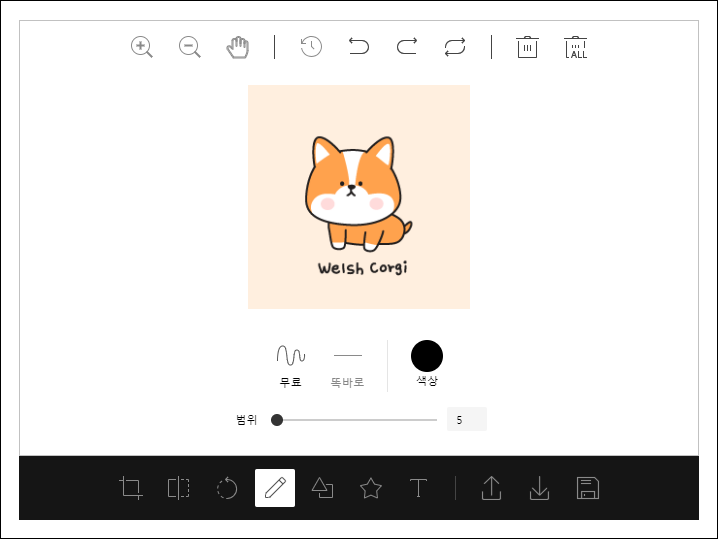
5\. 실행하면 아래와 같이 그림 슬라이드가 나오는 것을 확인할 수 있습니다.
<figure><img src="https://1191936652-files.gitbook.io/~/files/v0/b/gitbook-x-prod.appspot.com/o/spaces%2FMDaEsmK9OwD7QYBNk9Sn%2Fuploads%2FQTyk507CbM4kSWEG4Bme%2Fimage.png?alt=media&#x26;token=7ba5e42e-d898-4522-8b40-8bcb0ded6bed" alt=""><figcaption></figcaption></figure>